
City Racing
RELEASEDRacing game published on Steam. Built in Unity with HDRP.
★★★★★ 5.0 (1 review)Available there now. Coming to antonopic.com soon — click 🔔 Notify me to get an email the day it is.
Jumper
NEWJump from block to block and climb as high as you can: through the rain, past the clouds and into outer space, on to the Moon, Mars, Jupiter and Saturn. Hold to charge a power jump, ram your friends off the blocks with a power hit, and pick your ball: tennis, rubber, golf, basketball, baseball, bowling, soccer or football. Play alone or online with up to 8 friends, with keyboard and mouse or a game controller. For Windows PCs (64-bit).
Not available to buy yet.
🔔 Notify me when it's available
AOProTec
IN DEVELOPMENTSecurity software for Windows. Real-time protection, memory and file scanning, behavioural monitoring, and a kernel-mode driver. Built to report honestly about what it can and cannot see.
Not available to buy yet.
🔔 Notify me when it's availablePictures and videos
MineCrafterDesktop
Craft & Mine & A lot of MODS Made by my son: Tony Opic, But it's in development and you can make an account and subscribe for email remiders.

City-Racing Chase Scene
Helicopter Bombing The Player
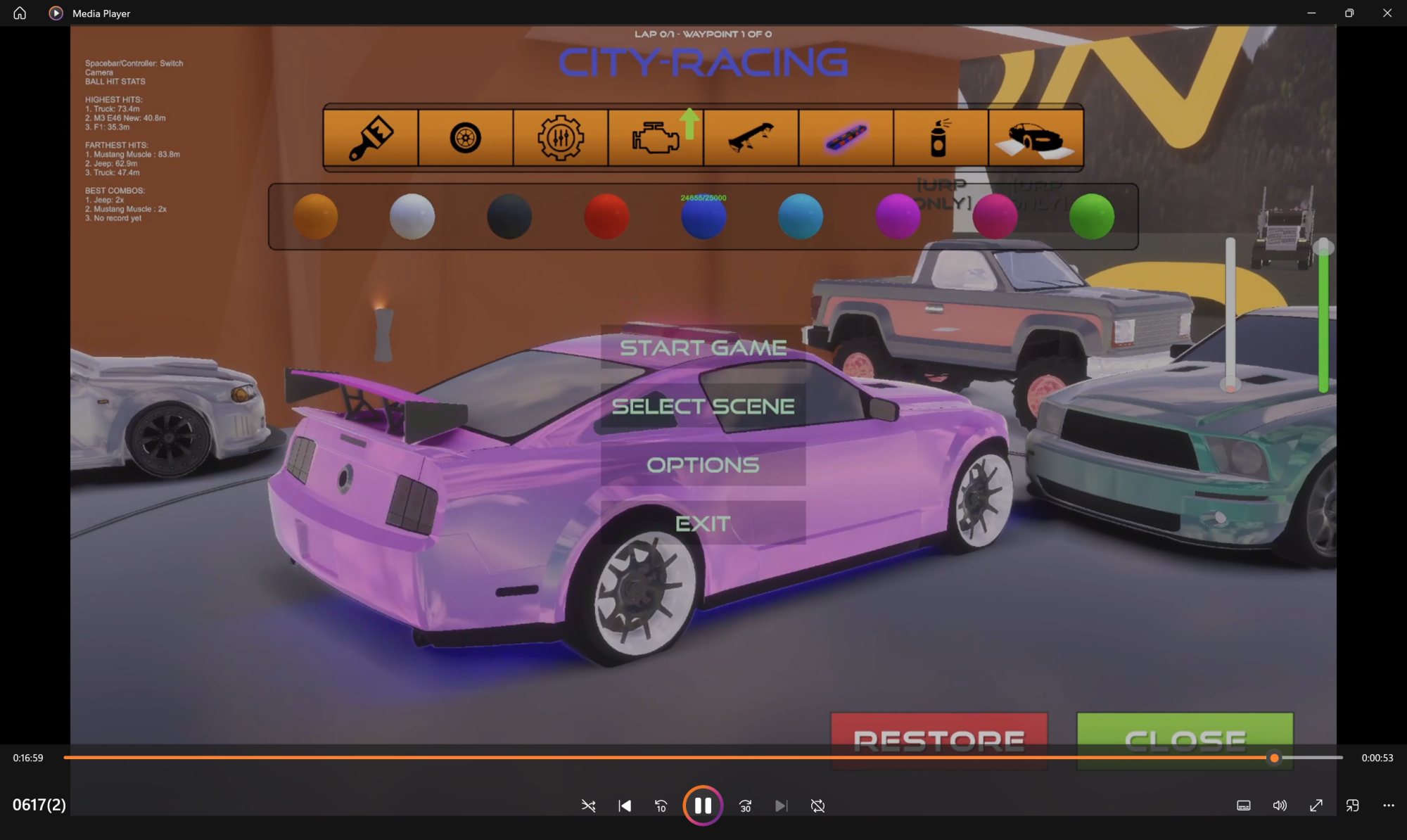
City-Racing - I shoot down a hellicoptor
City-Racing - Passed all races except the chase sceen got me twice! and I shoot down a hellicoptor
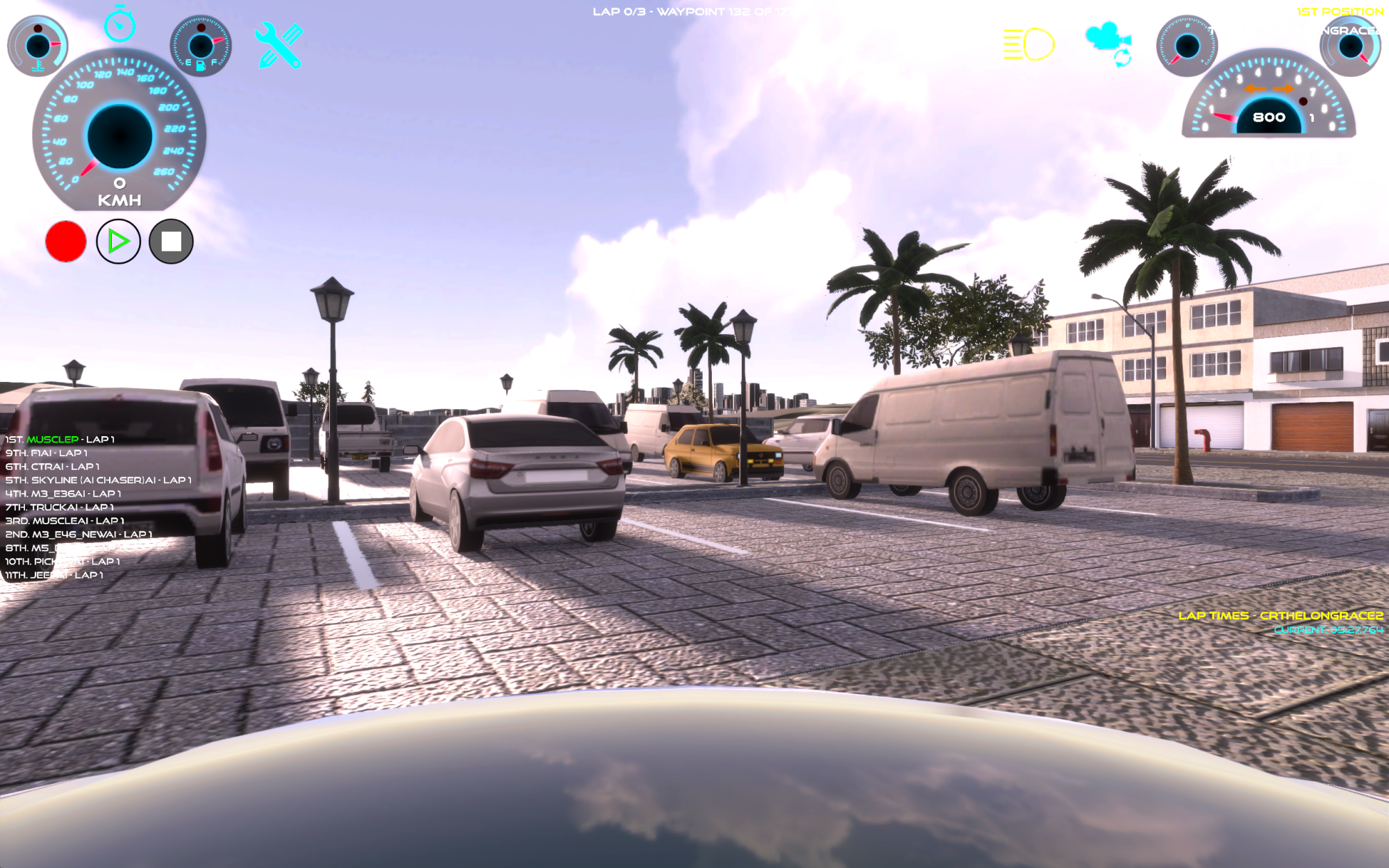
City-Racing Shadows Shaders
A Video of City-Racing, Shadows, Shaders
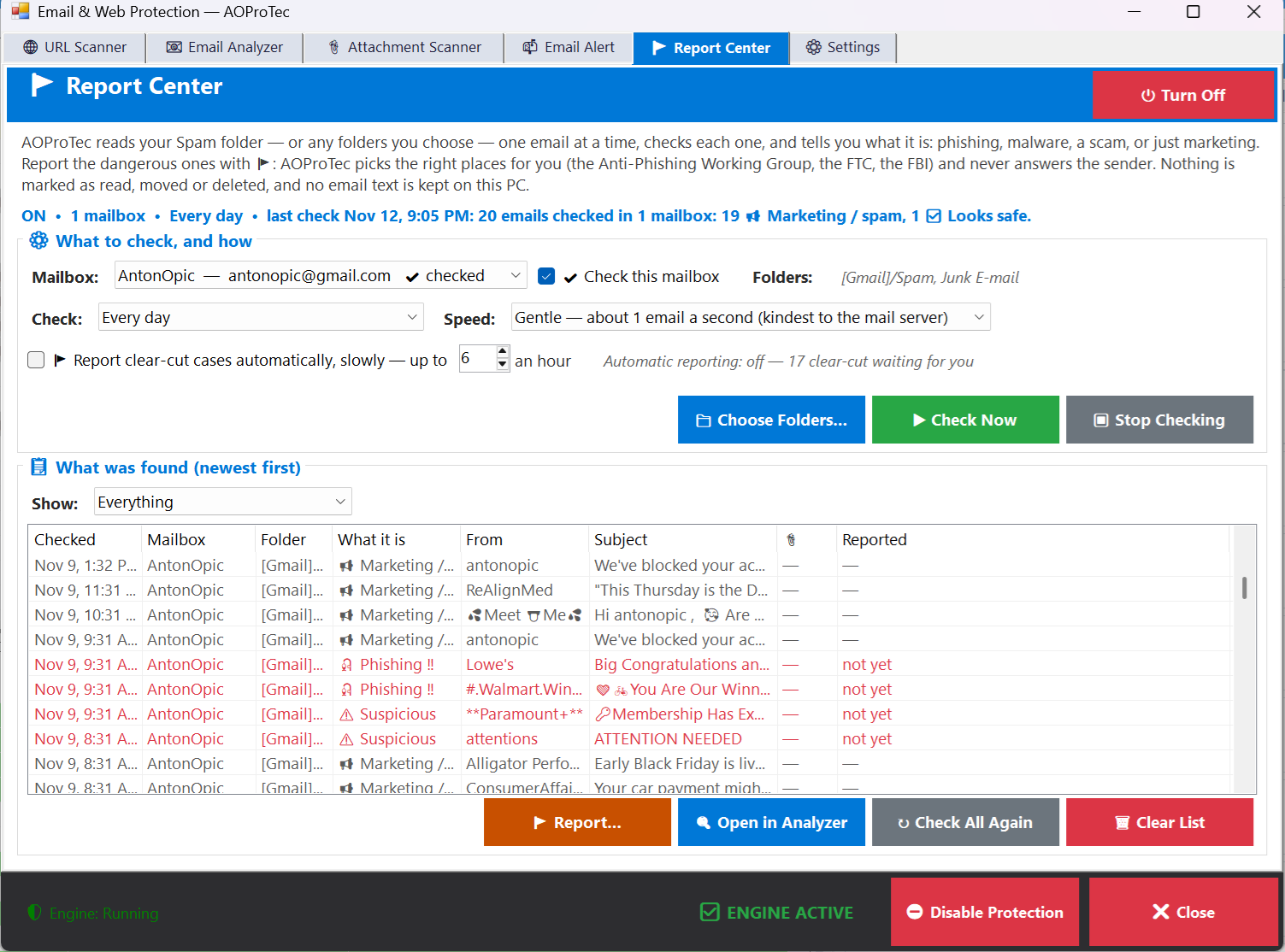
AOProTec Email & Web Protection - Report Center
AOProTec Email & Web Protection: Report Center
Your Spam folder has been quietly collecting phishing emails, scams, fake invoices and dangerous attachments for years. Every one of them is a trap waiting for one wrong click. Most of us just leave them there. Why do we keep collecting them? Why not do something about it?
Now you can. AOProTec's Report Center checks your Spam folder for you, one email at a time, and tells you plainly what each one is: phishing, malware, a scam, or just marketing. For every dangerous email it shows you the right places to report it: the Anti-Phishing Working Group (internet providers, security companies, banks and law enforcement), the FTC, and, if money was lost, the FBI. AOProTec sends the report for you or prepares it for you to paste. It never replies to the scammer, and it never touches your own mail.
Watch over every mailbox that matters to you: your own, your kids', your parents', your brother's or sister's, your office, your company, your school. Each one gets checked, and every scam in them becomes a report.
Stop collecting threats. Start reporting them. Get AOProTec at antonopic.com.
Email & Web Protection — Interface Guide
🎯 WHAT THIS WINDOW IS FOR
Checks links and emails before you act on them. Most compromises start with a person clicking or opening something, not with an exploit — so this window exists for the moment of doubt.
Its 📬 Email Alert tab texts you when an email arrives from someone on your watch list, after checking it — see "Interface - Email Alert". Its 🚩 Report Center tab checks your Spam folder and reports the scams in it — see "Interface - Report Center".
🌐 URL SCANNER TAB
Paste a link into "Enter URL to scan for threats" and press 🛡️ Scan URL. Results show Status, URL, Threat Level, Detected Threats and Scan Time.
🔗 Links found in the email: every time the Email Analyzer checks an email, each web link in it (up to 50) is listed here and checked one at a time WITHOUT visiting it — known phishing sites, suspicious endings, raw IP addresses, look-alike letters and misspelled brands. Its result shows "✅ OK (address checks)" rather than "SAFE", because the page itself was not looked at. Visiting a link from an email is the same as clicking it: a tracking link tells the sender your address is real and the email was opened, and an unsubscribe or one-time sign-in link can be used up. So 🌐 Visit & scan selected is your choice, one link at a time, and asks on the button first. ⬆ Put in Scan Target copies a link to the box above.
The scan DOES contact the site: AOProTec reads the text of the page — at most the first 1 MB, for at most 12 seconds, and only if it is a web page rather than a download — to look for a fake password form, a hidden frame or disguised script. Nothing is displayed or run, so the page cannot act on this computer, but the site can see that someone at your internet address looked at it. If a link is dangerous enough that even that worries you, check the address by eye and do not scan it.
📄 Export & Actions: pick a Format, then 💾 Export Report (see "Overview" ▸ Exports for every format), and 🗑️ Clear Results. Scanning an address that is already in the list updates its row instead of adding a second one, and the button says "Already scanning…" if you press it again mid-scan.
📧 EMAIL ANALYZER TAB
Paste a suspicious email in to have it assessed.
Sender Email the address it claims to come from. Subject Email Body paste the message text. Attachments optional, comma-separated — the window's own example is "file1.pdf, invoice.exe", which is itself the classic pattern: a harmless-looking document beside an executable.
🔍 Analyze produces a 🎯 Phishing Score and a Category breakdown of what triggered it. 🗑️ Clear Form resets the fields.
🧪 WHAT ANALYZE CHECKS
* The sender's real address — read out of "Name <address>", so a display name is never itself a warning — for a bad format, a high-risk ending (.xyz, .top …) and a look-alike of a known domain.
* Phishing phrases, urgency and requests for passwords or cards.
* The Scam & Social-Engineering patterns: pressure scripts, impersonated authorities and brands, unusual payment requests, and links to throw away domains, raw IP addresses or brand look-alikes.
* Dangerous attachment types (programs, scripts, macro documents).
* Proxyware SDK pitches: an offer to pay you per player or user who "opts in" to an SDK, or a sender from a residential-proxy company. That is not phishing, and AOProTec says so — but such an SDK turns your users' computers into proxies for strangers' traffic. Shown as "Proxyware SDK", one plain sentence per line.
Only links that are actually suspicious are listed and scored; an ordinary link in an email adds nothing. Every flagged email is written to the Errors log WITH its reasons.
🔍 HOW TO READ THE SCORE
The score summarises signals — a mismatched sender domain, urgency, a payment or credential request, a dangerous attachment type. Read the categories rather than the number alone.
A low score is not permission to trust a message. A well-made targeted phishing email can look ordinary to any automated check. If a message asks for money, credentials or urgency, verify it through a channel you already trust — never by replying to it.
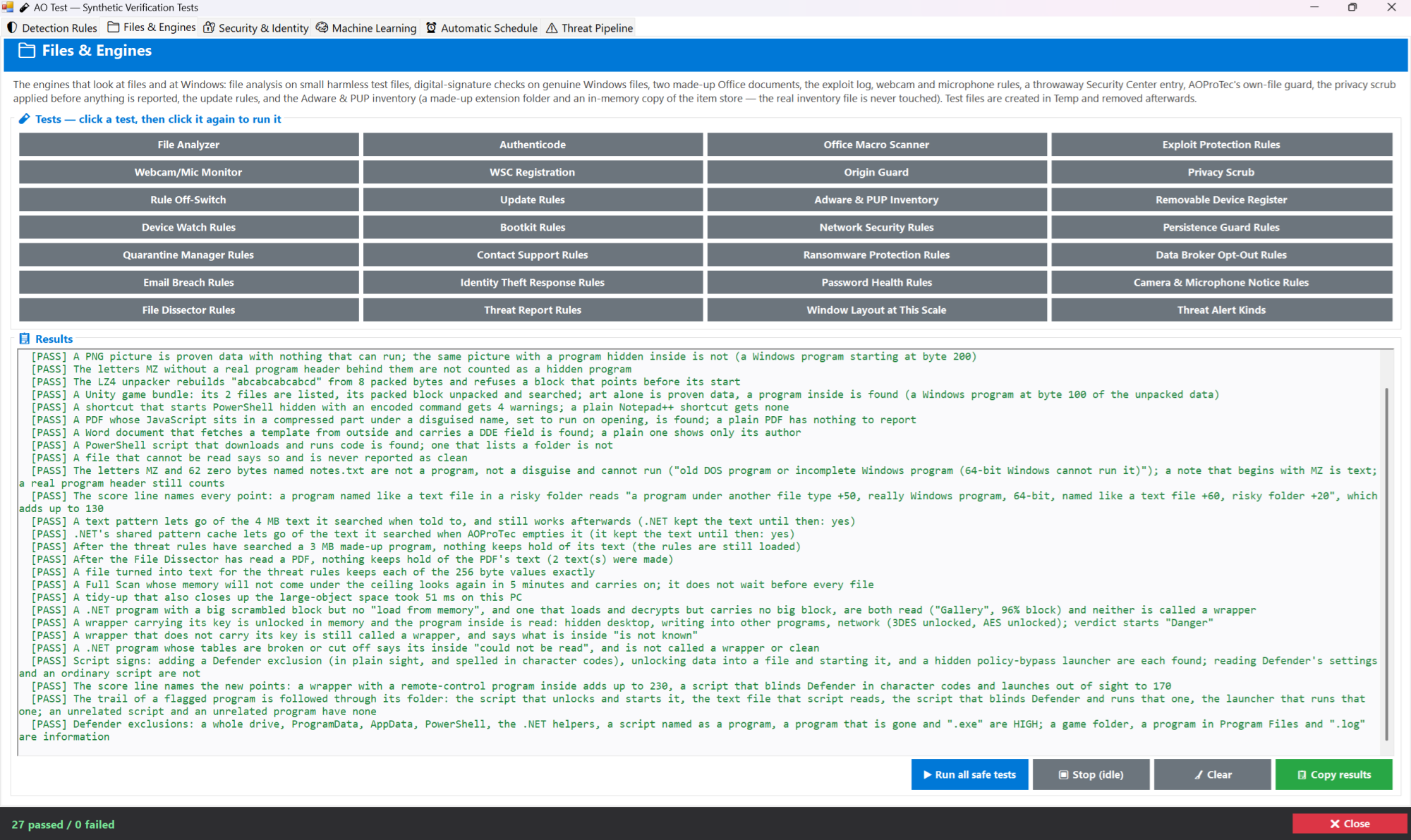
AOProTec - AO Test - Writes a fake threat to the REAL Threat Queue – NOT a real virus, but dismiss it afterward in Quarantine Manager.
Synthetic Verification Tests - Tests AOProTec own detection and safety checks against safe, made-up examples - invented files names, standard windows system files, sample command line and small test documents - never your real files and never real malware. Run it on a new computer to confirm protection works, before you rely on it. The one exception is the threat Pipeline test below: you switch it on yourself, and it places a fake threat in your real Threat Queue.
Kernel Driver — AOProTecDriver
🎯 PURPOSE
A small kernel-mode helper driver. Today its job is a second source of truth: it names the program file behind a process from the kernel's own record, including any process Windows will not name to an ordinary program.
That used to be the only way to name PROTECTED processes such as LSASS. It no longer is: AOProTec now asks Windows for a process's image path with the lightest query Windows offers, which needs no access to the process's memory and so names LSASS, the antimalware services and the other protected programs without a driver. (Only the kernel's own placeholder entries, such as System and Registry, have no program file to name.)
What only a driver can do is see a program start, or a file about to be written, BEFORE it happens — so a threat could be stopped rather than reported afterwards. That kernel-level blocking is the planned next step once Microsoft has signed the driver; today AOProTec observes and reports, and says so.
🧩 OPTIONAL BY DESIGN
AOProTec runs fully without the driver. Every engine and every scan works either way. When the driver is present, some lookups ask it first, and the standard lookup answers whenever the driver cannot. A missing driver is a normal condition, never an error, and it is never written to the error log.
🔒 BUILT SECURELY
• Only SYSTEM and Administrators may communicate with the driver.
• Process paths come from the kernel's own record of each program.
• Paths are translated from the kernel's internal form (\Device\HarddiskVolume3\...) into ordinary drive letters.
• It is installed as a kernel service, the correct form for a driver with no hardware of its own.
🔏 HOW IT IS DELIVERED — AND WHY THAT MATTERS
Windows loads a kernel driver on a customer's machine only after Microsoft has signed it, and Microsoft signs only for a publisher whose identity has been verified. So every driver running inside Windows has a real, verified name behind it — if anyone ever used that level of access to do harm, they could be found.
For AOProTec that meant a registered business with a D-U-N-S number, an Extended Validation (EV) code-signing certificate issued after identity checks and kept on a hardware security key, and a Microsoft developer account that Microsoft reviews. The certificate is renewed, and paid for by AOProTec's developer, every year — it is never a one-time step. About ▸ The Development Story tells what it took.
The AOProTec driver is delivered only with Microsoft's signature, never test-signed. As of October 2026 the identity checks are complete and Microsoft's review is under way. Until the driver is installed, AOProTec provides its full protection without it.
____________________________________________________________________________________________________________________
Annual costs for major antivirus software typically range from $20 to $60 per year for introductory/first-year plans, and renew at $60 to $150 per year.
Typical Pricing for Popular Antivirus Brands
• Bitdefender: Antivirus Plus starts around $20–$35 per year for the first year (covering multiple devices), with full suites like Total Security scaling higher. Free versions are also available.
• Norton: Norton 360 Deluxe plans generally cost around $50 per year for introductory terms (including VPN and cloud backup), with standard packages varying by device count.
• Malwarebytes: Typically runs around $40 per year for standard multi-device protection.
• McAfee: Introductory plans for McAfee+ or Total Protection start around $40 per year (or lower with promotional deals), while full renewals and specialized service tiers cost more.
• Free Alternatives: Built-in tools like Microsoft Defender come free with Windows, and basic free tiers are offered by providers like Avast and Bitdefender.
2026 - Security Provider Protection Release Tier First-Year Price Standard Renewal Price Device Limit
McAfee McAfee Basic $29.99/yr $84.99/yr 1 Device
McAfee Essential $39.99/yr $119.99/yr 5 Devices
McAfee+ Premium $49.99/yr $149.99/yr Unlimited
McAfee+ Advanced $89.99/yr $199.99/yr Unlimited
Norton Norton AntiVirus Plus $29.99/yr $59.99/yr 1 Device
Norton 360 Standard $39.99/yr $94.99/yr 3 Devices
Norton 360 Deluxe $49.99/yr $124.99/yr 5 Devices
Norton 360 Select Plus (LifeLock) $99.99/yr $189.99/yr 10 Devices
• If you only have 1 computer: Both brands offer an entry tier for $29.99. However, Norton AntiVirus Plus is a significantly better long-term deal here because it renews at $59.99/yr compared to McAfee Basic's jump to $84.99/yr.
• If you have a 3-device household: Norton 360 Standard sits right at $39.99 and covers 3 devices while including their VPN. McAfee's equivalent $39.99 option leaps straight up to 5 devices.
• If you have more than 5 devices: Avoid Norton's lower tiers. You will either need to step up to McAfee+ Premium ($49.99 for unlimited devices) or pay the steep premium for Norton's 10-device tiers.
Are you trying to find a plan for just one PC or Mac, or are you looking to protect the whole family's phones and computers? Let me know so I can point you to the specific release that saves you the most money.
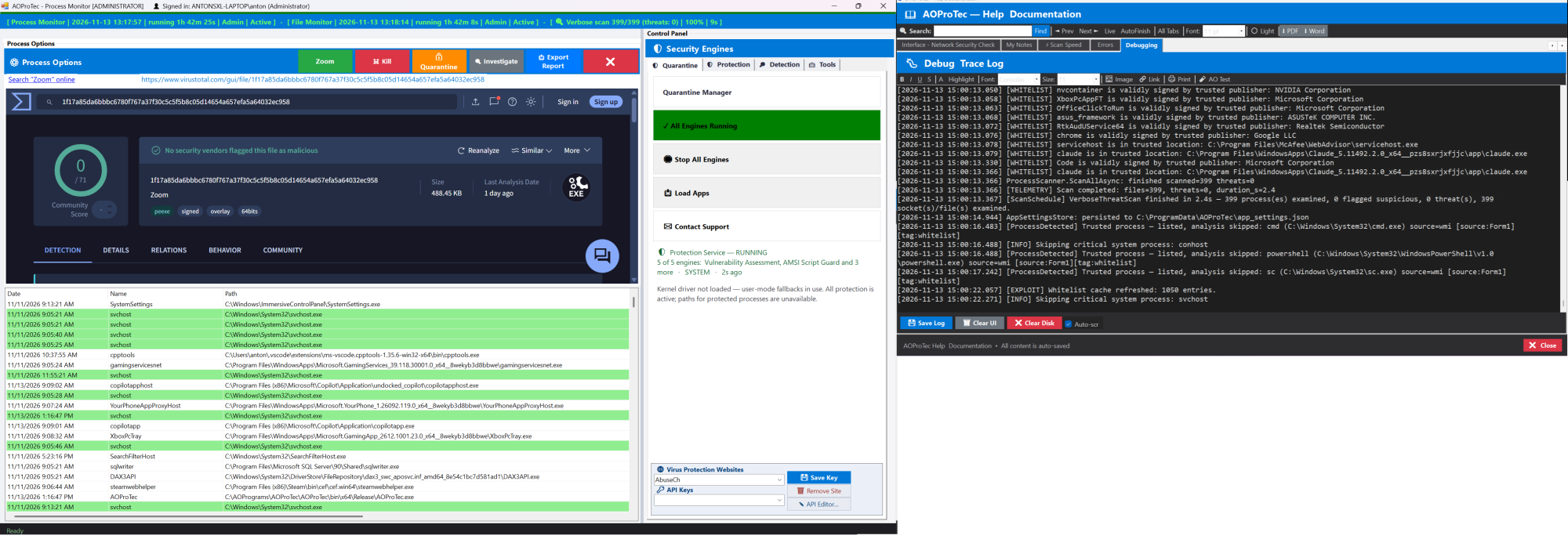
AOProTec - Console
AOProTec: Complete Endpoint Visibility & Resilient Threat Monitoring
AOProTec is an advanced, real-time security monitoring platform engineered to provide absolute visibility into your operating system. Powered by 27 proprietary protection engines and 35 supporting modules, AOProTec delivers continuous process observation, multi-engine threat analysis, and automated remediation workflows to ensure your digital environment remains secure and uncompromisingly transparent.
Core Security Architecture
🛡️ 27 Advanced Protection Engines
Our core security layer proactively mitigates risks across every critical attack vector:
• AI & Machine Learning Engine: Advanced Machine Learning algorithms that proactively hunt for zero-day anomalies and predict malicious execution paths before they can compromise the system.
• Behavioral & System Defense: Real-time Malware, Rootkit, and Bootkit Detection paired with Behavioral HIPS and Persistence Guarding.
• Endpoint Subversion Protection: Specialized scanning mechanics to intercept Ransomware, Keyloggers, Exploit attempts, and Living-off-the-Land Binaries (LOLBins).
• Volatile Memory & Environment Controls: Continuous Memory Scanning, Vulnerability Assessments, and Sandbox Execution.
• Network & Perimeter Security: Deep-packet Firewall Integration, DNS Protection, Network Security Checks, and Removable Device Control.
• Intelligence-Driven Analytics: Unified Cloud and Local Threat Intelligence Networks optimizing file and application reputation scores.
⚙️ 35 Integrated Supporting Modules
Working in tandem with our core engines, these auxiliary systems automate defense configurations and user utility:
• Process & Execution Integrity: Network Traffic Monitor, AMSI Script Guard, Anti-Cheat Guard, and Heuristic/Multi-Engine File Analysis.
• Data & Identity Protection: Highly secure Password Vault with built-in Password Health Checking and a Secure File Shredder.
• Operational Control Subsystems: Quarantine Manager, False-Positive Guard, WMI Persistence Watcher, and Attack Surface Rules.
• Developer & Environment Safety: Dedicated Developer Project Guard and Installer Identity Verification.
• System Posture Evaluation: Verifies critical native infrastructure including BitLocker encryption, Secure Boot status, and UEFI vs. Legacy BIOS configurations.
Key Capabilities & Architectural Highlights
🤖 AI-Driven Proactive Defense
AOProTec integrates advanced Machine Learning and Heuristic/Multi-Engine File Analysis to protect your endpoint from modern, evolving threats. Rather than relying solely on old database signatures, the software analyzes behavioral patterns, binary structures, and process telemetry in real time. This ensures that even complex, modified, or completely new strain variants are identified and contained immediately.
🔍 Radical Visibility: No More Hiding
AOProTec is designed under a singular premise: to uncover exactly what is executing on your hardware. The platform monitors actual runtime behavior, completely bypassing hidden terms or obfuscated strings buried in application fine print. It explicitly reports process and file names, corporate origins, verified digital signatures, and live directory operations so you are never left guessing.
⏱️ Non-Stop Watchdog Subsystem
• Continuous Supervision: Monitors every process initialization and termination with a lightweight secondary verification layer to eliminate event omission or redundant logging.
• Resilient Engine Health: An independent, automated watchdog routine runs every minute to verify the health of all surveillance layers—restarting dependencies instantly if any anomaly occurs, even while the endpoint is locked or unattended.
👆 Fail-Safe User Interface
To entirely eliminate high-impact operational mistakes or accidental deletions, AOProTec features an intuitive, double-affirmation interface.
• Self-Resetting Confirmations: Actions involving file removals or process terminations require a secondary click directly on the interactive button itself (turning amber for caution, then red for permanent actions).
• Zero Locked States: UI buttons are never arbitrarily grayed out; clicking an unavailable option immediately generates contextual guidance explaining exactly what prerequisite data or selection is required to proceed.
💾 Native Enterprise Reporting
The platform features an isolated, dependency-free reporting architecture capable of exporting log data, scan histographies, and audit trails directly into 15 distinct industrial formats:
• Supported Formats: PDF, Excel (.xlsx), Word (.docx), HTML, Plain Text, CSV, Rich Text (.rtf), JSON, XML, LibreOffice (.ods/.odt), Markdown, YAML, TSV, and Syslog (.log).
• Spreadsheet Injection Protection: To secure your corporate spreadsheets against malicious macro execution, the CSV generator automatically applies a leading escape character (') to any exported value beginning with =, +, -, or @.
🚑 Network Containment & Security Training
• Automated Endpoint Isolation: Instant, perimeter-level network isolation triggers upon confirmed ransomware anomalies, featuring an intelligent 15-minute automatic restoration protocol to safely evaluate false positives or secure system perimeters.
• Interactive Cyber Education: Includes 39 training modules and 195 interactive assessment questions built directly into the software to train operators on fundamental security posture. Successful completion generates a printable AOProTec Certificate of Completion.
© 2026 Anton Opic. All rights reserved. Registered under applicable global copyright and intellectual property laws.
Also on this site
Tony’s projects →
Projects and updates by Tony.
TEST John Doe Manual’s projects →
Projects and updates by TEST John Doe Manual.
⭐ Customer reviews
Read all reviews →About This Game
City-Racing is an exhilarating high-speed racing experience set in vibrant urban environments. Developed by a passionate father-son team, this Early Access title delivers the thrill of competitive street racing combined with intense police chases. Key Features • Dynamic Racing Ac…
Own one? Write a review